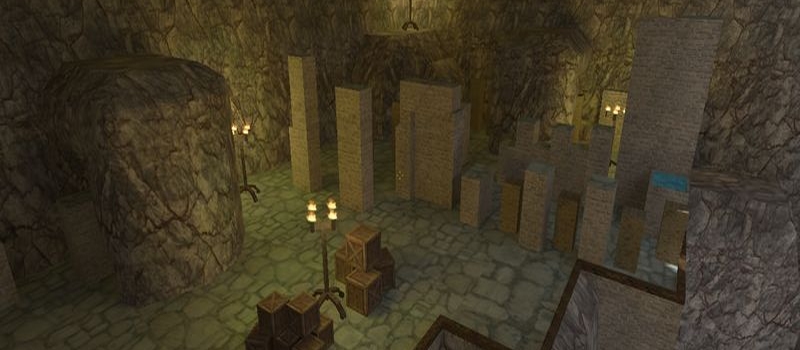
kz_exodus_hard
KreedZ0
Servers Playing Now
2
Total Servers
546
Times Played
Oct 4, 2026
Last Played
Daily Activity
No servers are currently playing this map.
About kz_exodus_hard
kz_exodus_hard is a KreedZ map for Counter-Strike 1.6. It has been played 546 times across 2 servers. Last played on October 4, 2026.
KreedZ (kz_) maps are climbing and movement-focused challenge maps. Named after the legendary player KreedZ, these maps test players' ability to perform advanced movement techniques like bunny hopping, strafe jumping, and long jumps across increasingly difficult obstacles.
Servers that played kz_exodus_hard recently
18 servers ran kz_exodus_hard in the last 90 days.
| Server | Rounds played | Last seen |
|---|---|---|
 KZ10A-萌新跳跃[徐亮]
|
32 | Oct 2, 2026 |
 |sS| KreedZ
|
6 | Sep 30, 2026 |
|
Night Jump [BHOP, KZ]
|
6 | Sep 22, 2026 |
 - rayish.com 5 - KZ/BHop
|
6 | Sep 22, 2026 |
 [Fleshas.lt] BHOP 24/7
|
6 | Sep 20, 2026 |
|
KZ-Rush.ru JUMP [100aa]
|
3 | Sep 28, 2026 |
 KREEDZ KZ HARD · Nostalgia Gamers Argentina
|
3 | Sep 13, 2026 |
 KZ-Rush.ru EU Server
|
3 | Sep 4, 2026 |
|
KZ-HUB.ru | Climbing
|
3 | Aug 19, 2026 |
|
Counter-Strike
|
2 | Oct 2, 2026 |
 [GenesisGames] Kreedz Classic | [KZ/Bhop] [10aa]
|
2 | Sep 30, 2026 |
|
WHITE RABBIT JUMPS | wrjumps.ru
|
2 | Sep 18, 2026 |
|
KZ-Rush.ru #1 JUMP [Hard]
|
1 | Sep 28, 2026 |
 KZ-Force #1 JUMP [Climb + Bhop]
|
1 | Sep 23, 2026 |
|
#1 Nueva-era KZ | [KreedZ] | [10aa/100aa]
|
1 | Sep 11, 2026 |
 SECTOR.BG Jump [Easy/Average]
|
1 | Aug 20, 2026 |
 csko.cz | Jump
|
1 | Jul 22, 2026 |
|
csko.cz | Jump
|
1 | Jul 22, 2026 |
How to Install kz_exodus_hard
- Download the kz_exodus_hard.bsp map file from GameBanana or another trusted source.
- Locate your Counter-Strike 1.6 installation folder. The default path is:
C:\Program Files\Steam\steamapps\common\Half-Life\cstrike\maps\ - Copy the .bsp file into the
mapsfolder. If the download includes .wad or .res files, place them in thecstrikefolder. - Restart Counter-Strike 1.6. The map will appear in the map list, or you can connect to any server running it from the server list.